 TeamTrace


This month, TeamTrace got four changes and none of them are cosmetic.
Here’s what changed, and why it matters to how you run your team.
The redesigned Notifications panel for Tasks lets you switch alerts on or off per event, per channel — Web, Mobile, Email and now WhatsApp.
WhatsApp delivery is available for the four highest-signal task events:
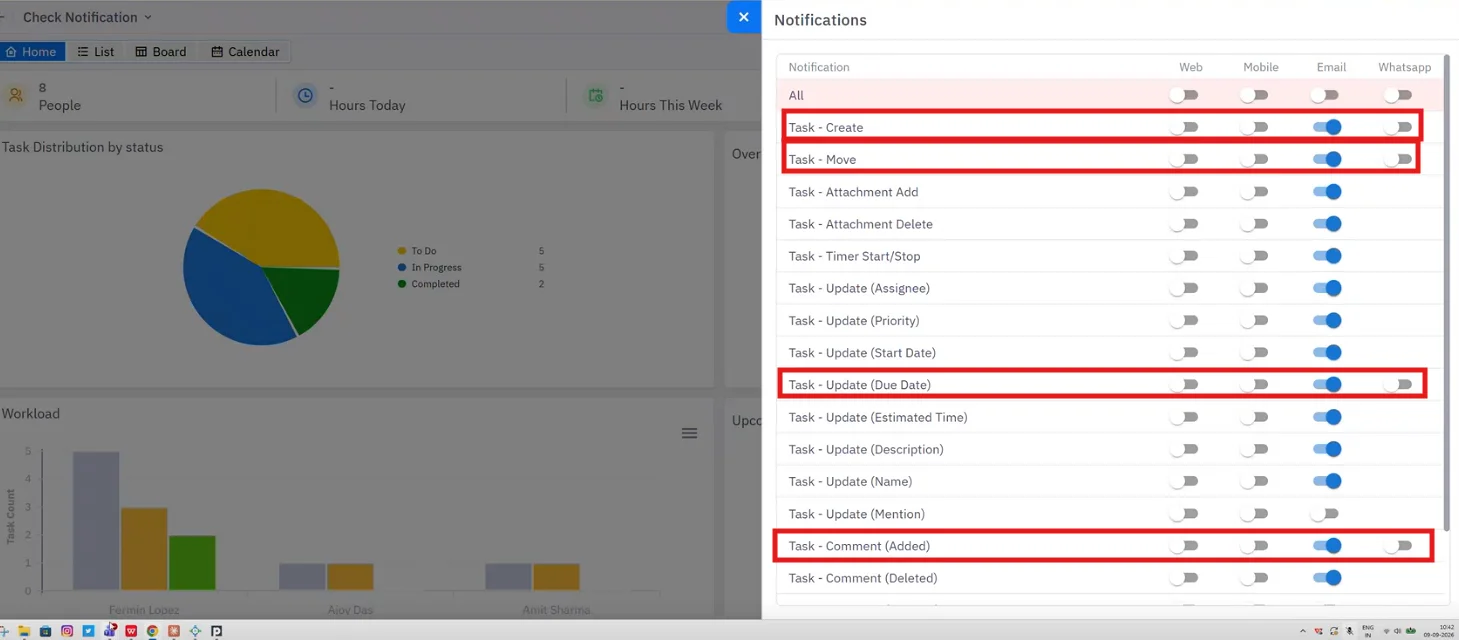
Every other task event (e.g: attachments, timer start/stop, assignee, priority, start date, estimated time, description, name, mention, comment deleted, etc.) continues to support Web, Mobile and Email. An All row at the top switches an entire channel on or off in one click.
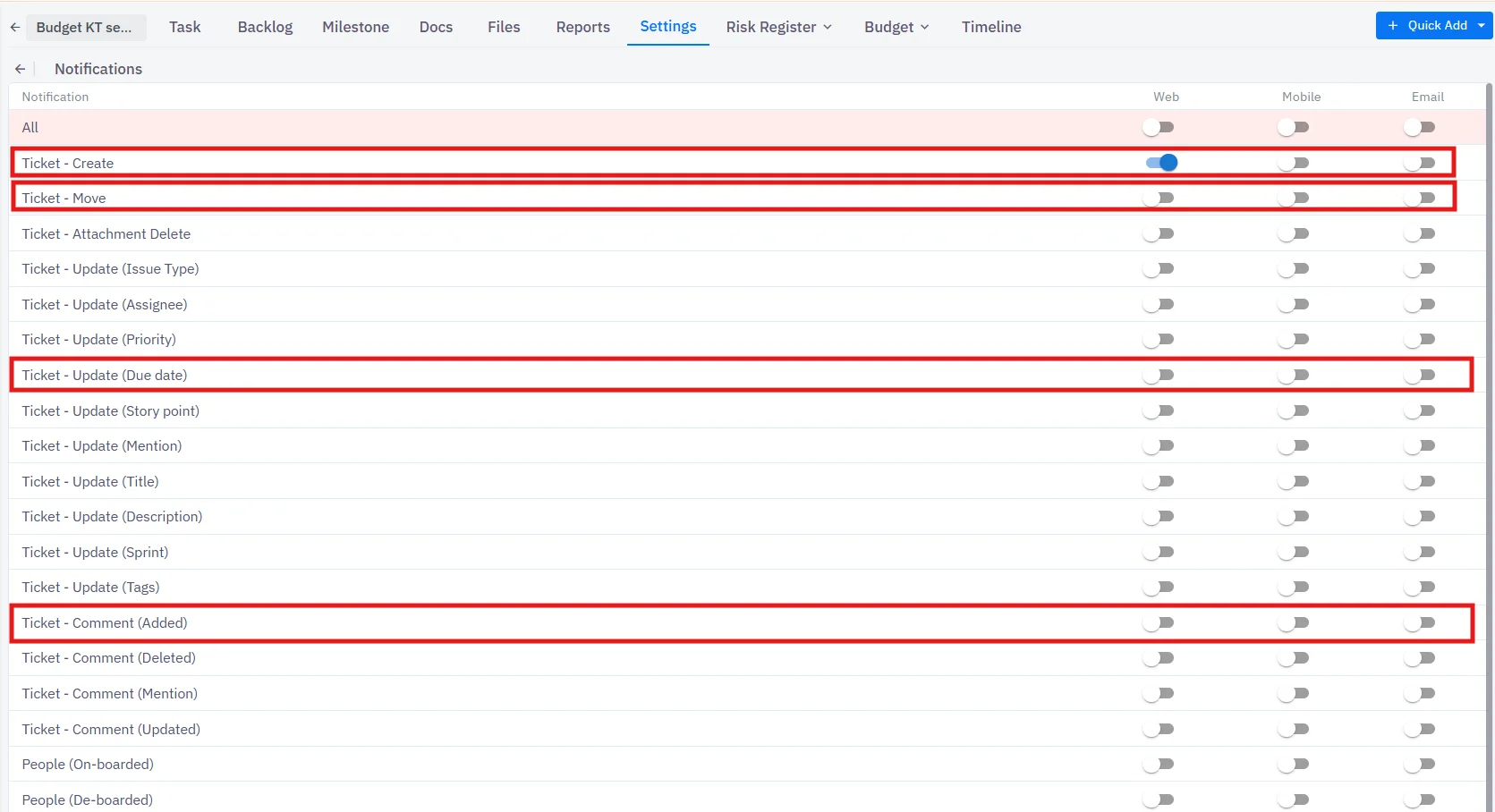
Project-level notifications now live under Project → Settings → Notifications, with the same per-event, per-channel grid across Web, Mobile and Email.
Highlighted in this release:
The Detailed Timesheet (Analytics → Detailed Timesheet) now opens with a Total column beside the daily breakdown, so you see the period figure for each person without adding up columns.
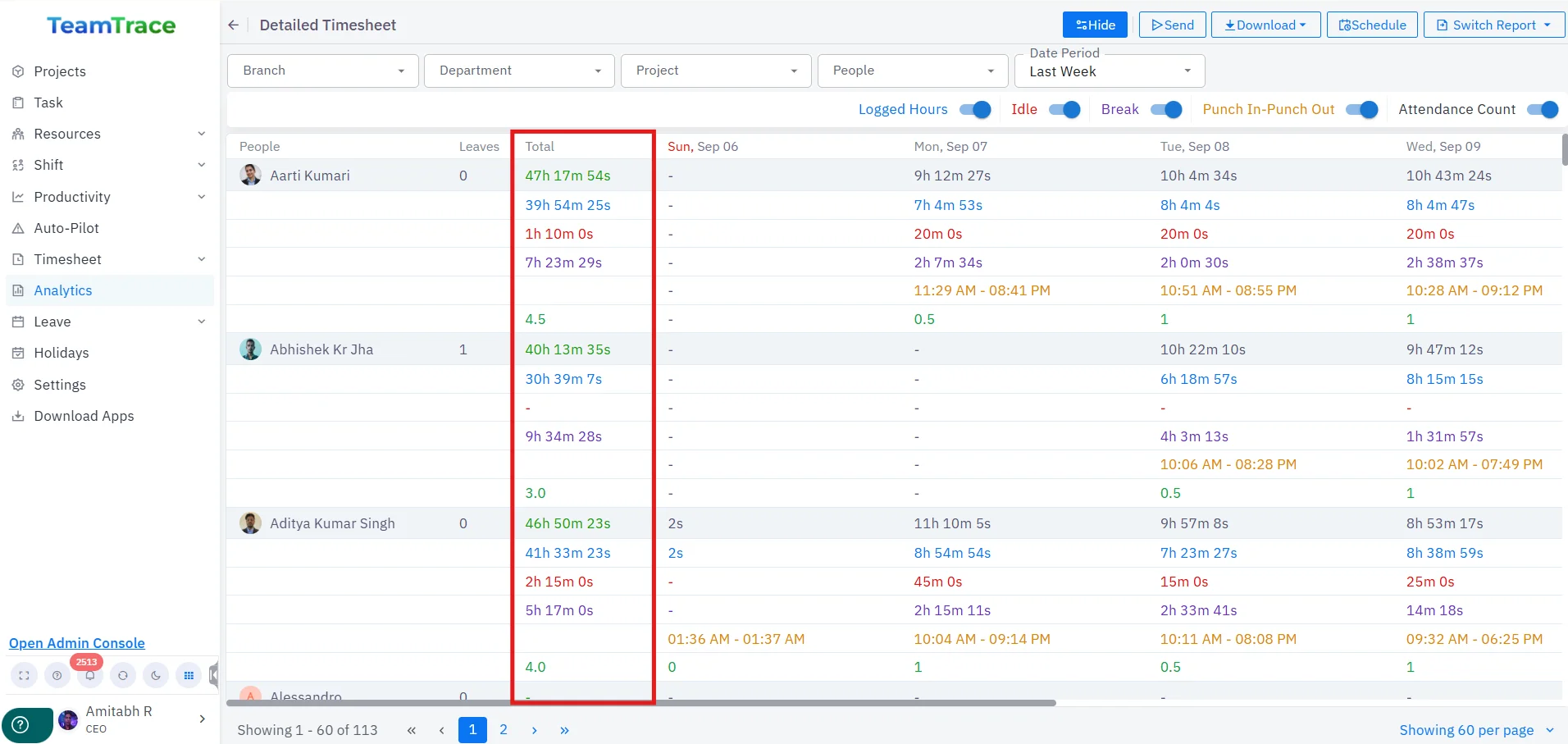
The total is calculated for every metric row you have enabled — Logged Hours, Idle, Break, Punch In–Punch Out and Attendance Count — for the selected date period and any Branch, Department, Project or People filter.
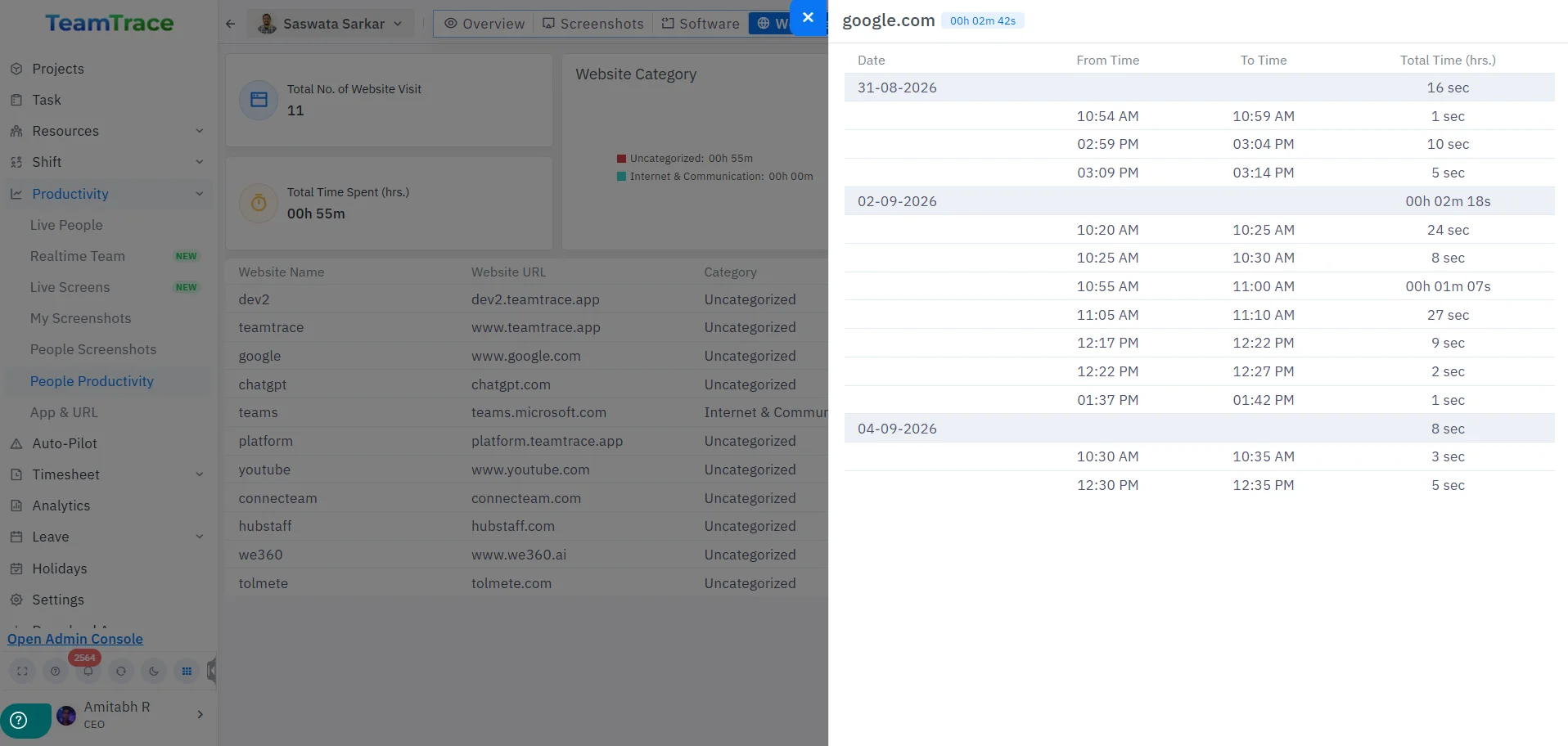
The Websites tab in People Productivity is no longer just a summary. Clicking any website in the list now opens a date-wise activity log for that user, showing From Time, To Time and Total Time for every visit, grouped by date with a per-day subtotal and an overall total for the site.