 TeamTrace


At TeamTrace, we continue to improve the way organizations manage productivity, field operations, employee tracking, and customer workflows.
This month’s updates introduce smarter automation controls, improved tracking visibility, enhanced customer management capabilities, and several usability upgrades across both web and mobile applications.
From revamped customer modules and intelligent productivity alerts to dark mode support and advanced tracking configurations, these enhancements are designed to help teams operate with greater efficiency and control.
The customer module has been redesigned to deliver a more structured and scalable customer management experience for growing organizations.
Organizations can now manage company names as customer profiles while adding multiple locations and contacts under a single customer record.
What’s New
Access From
Customer Section > Add/Edit Customer
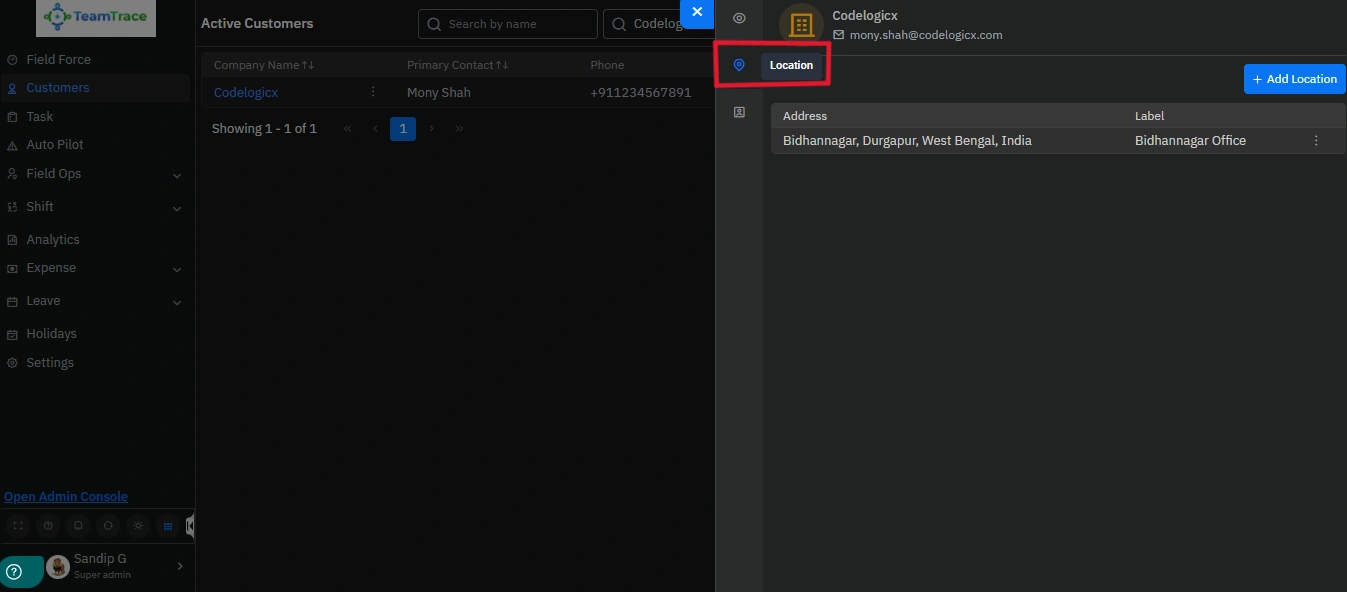
Easily manage and organize multiple work locations for every customer from a single centralized view.
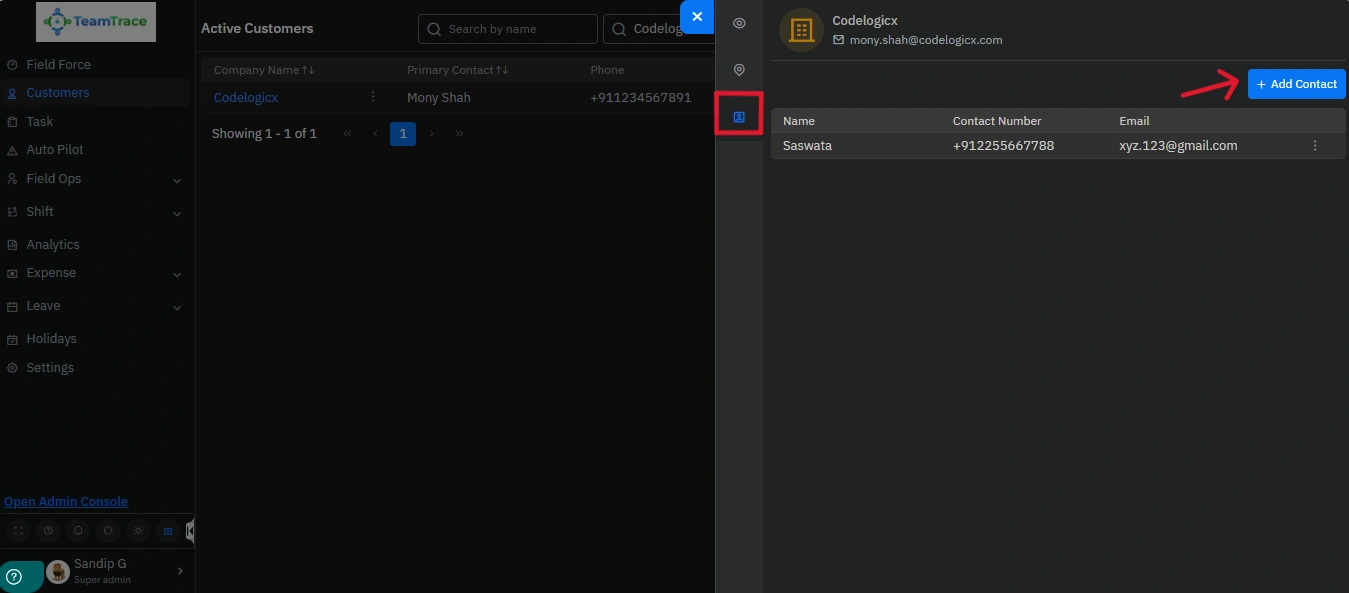
Add and manage multiple customer contacts effortlessly within a single, organized customer profile.
Why It Matters
Helps teams manage complex customer relationships more efficiently while improving accessibility to customer information.
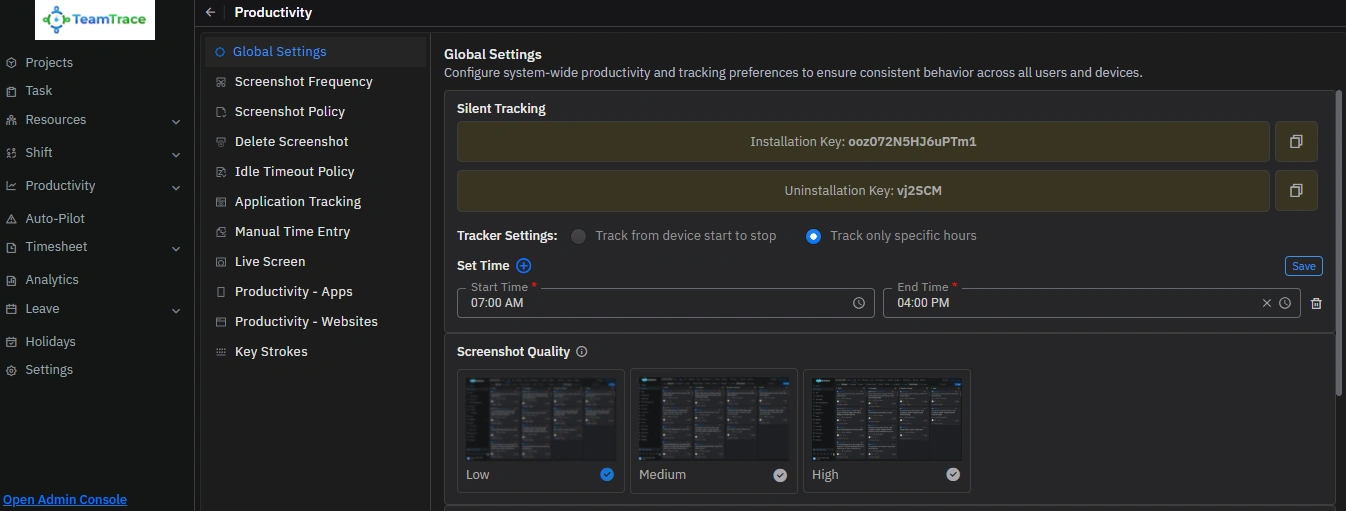
New global tracking controls provide administrators with greater flexibility over how employee tracking is managed across the organization.
What’s New
Access From
Settings > Productivity > Global Settings > Tracker Settings
Why It Matters
Enables organizations to configure tracking workflows based on operational requirements and employee schedules.
Administrators can now configure automated productivity monitoring alerts directly from the web application.
What’s New
Access From
AutoPilot Rules > Create Alert
Why It Matters
Allows managers to proactively monitor employee productivity and take timely action through automated workflows.
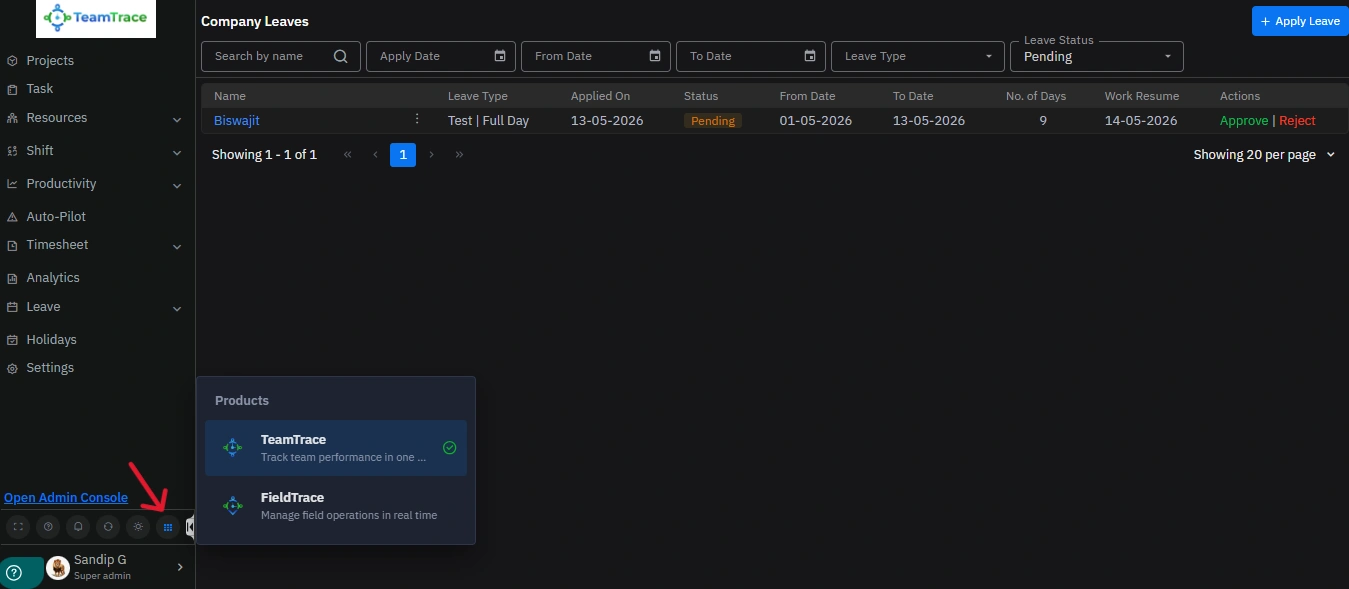
The platform experience has been streamlined with dedicated access environments for different operational needs.
New Product Categories
Access From
Main Dashboard > Bottom Navigation Panel > Product Switcher Icon
Why It Matters
Creates a cleaner and more organized experience for users across different operational functions.
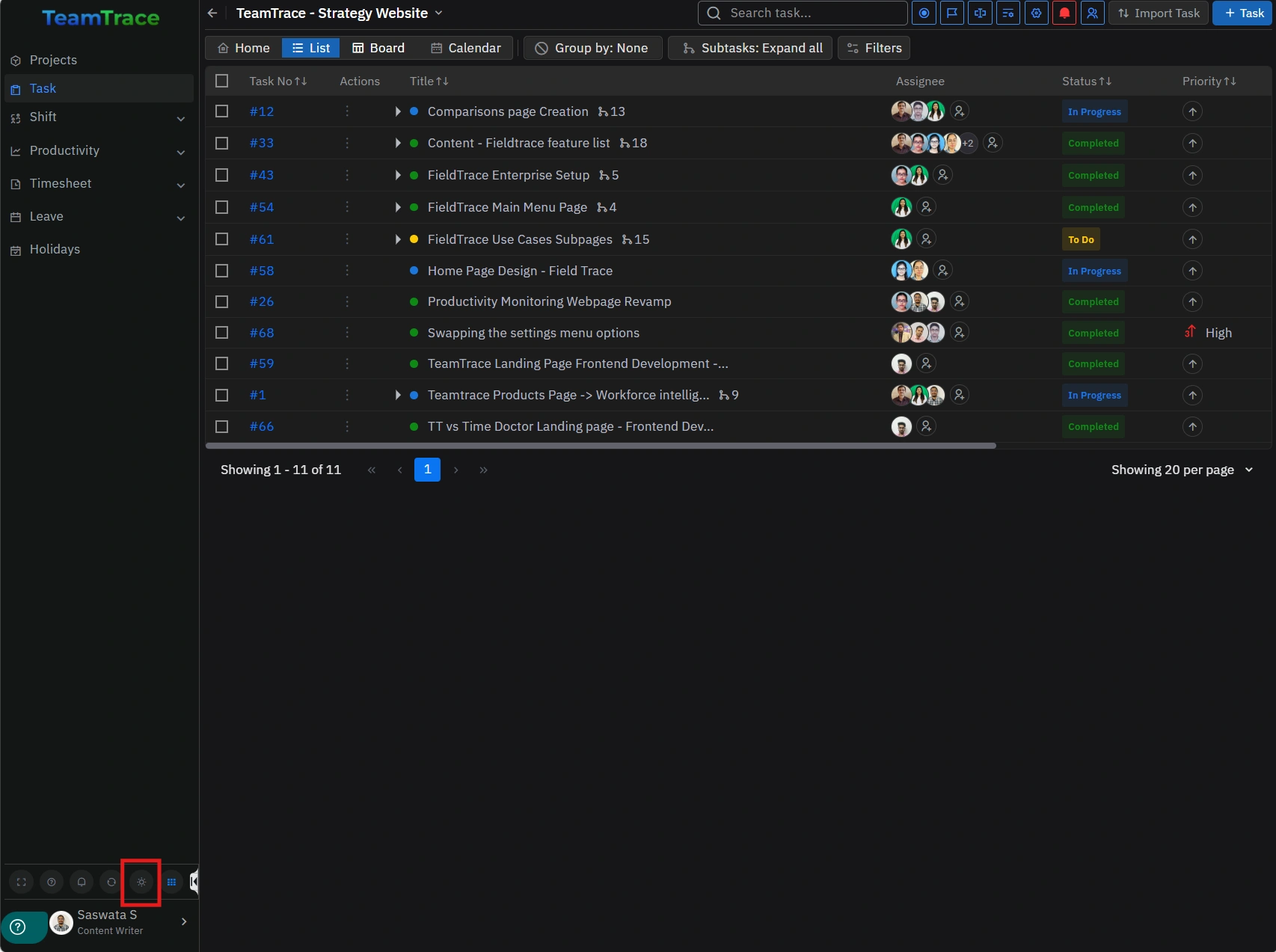
Dark mode support is now available within the TeamTrace web application.
Users can seamlessly switch between light and dark themes directly from the dashboard.
What’s New
Access From
Dashboard > Brightness Icon
Why It Matters
Provides a modernized and more comfortable viewing experience.
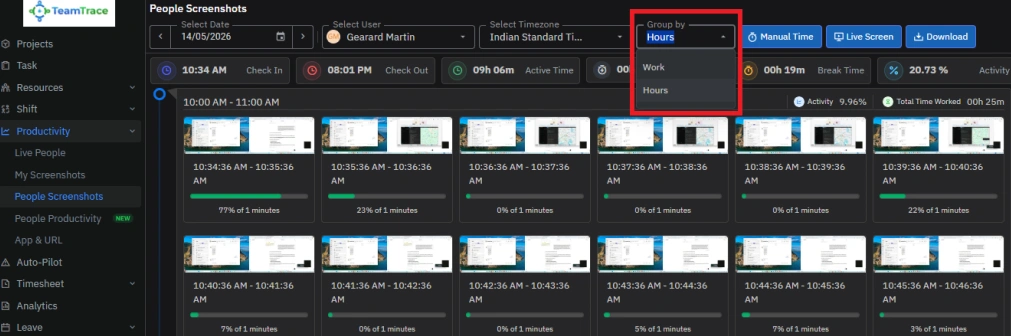
Managers can now group productivity screenshots hour-wise for more structured activity monitoring.
What’s New
Access From
Productivity > Screenshots > Group By > Hours
Why It Matters
Provides clearer visibility into employee activity patterns throughout working hours.
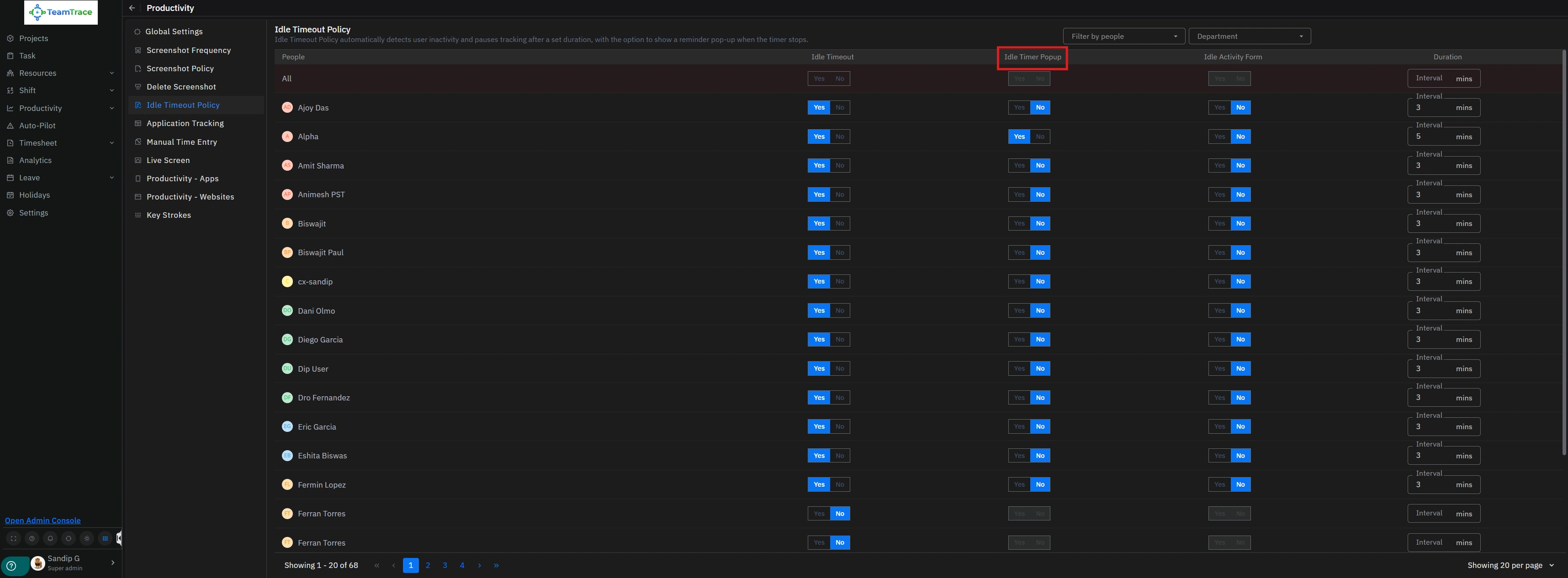
Organizations can now control whether reverse timer popups should appear during employee activity tracking sessions.
What’s New
Access From
Settings > Productivity Settings > Timer Popup Controls
Why It Matters
Offers better flexibility in configuring employee productivity workflows.
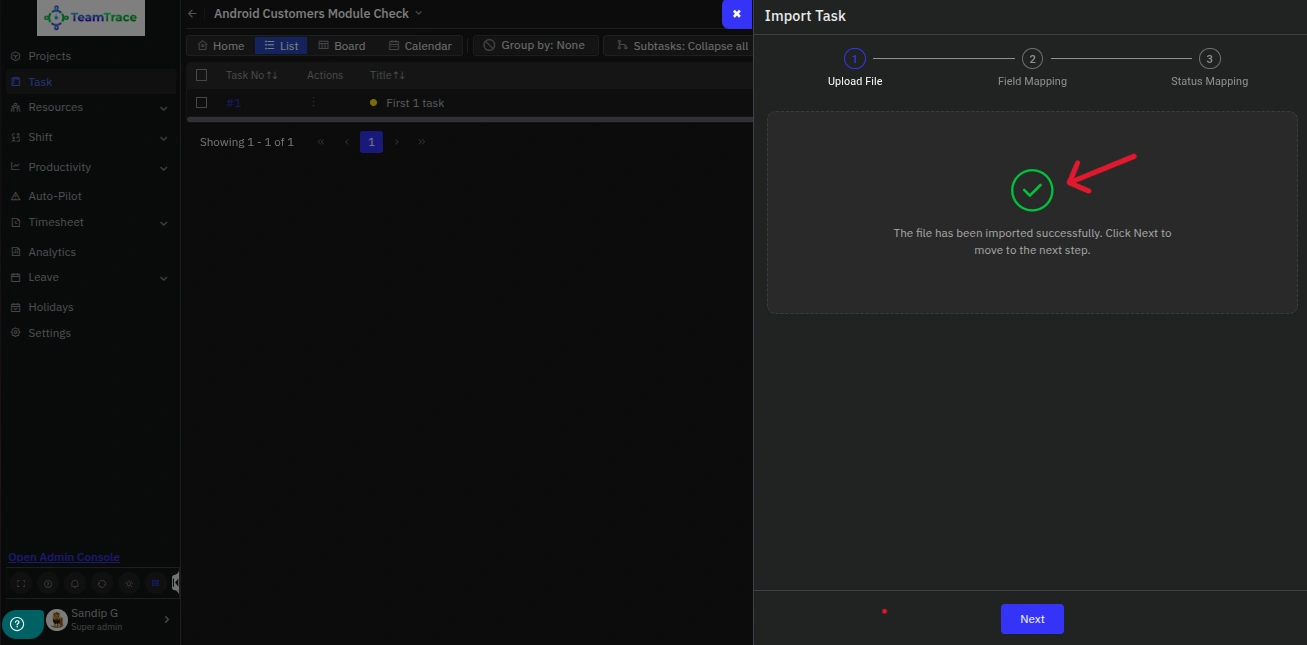
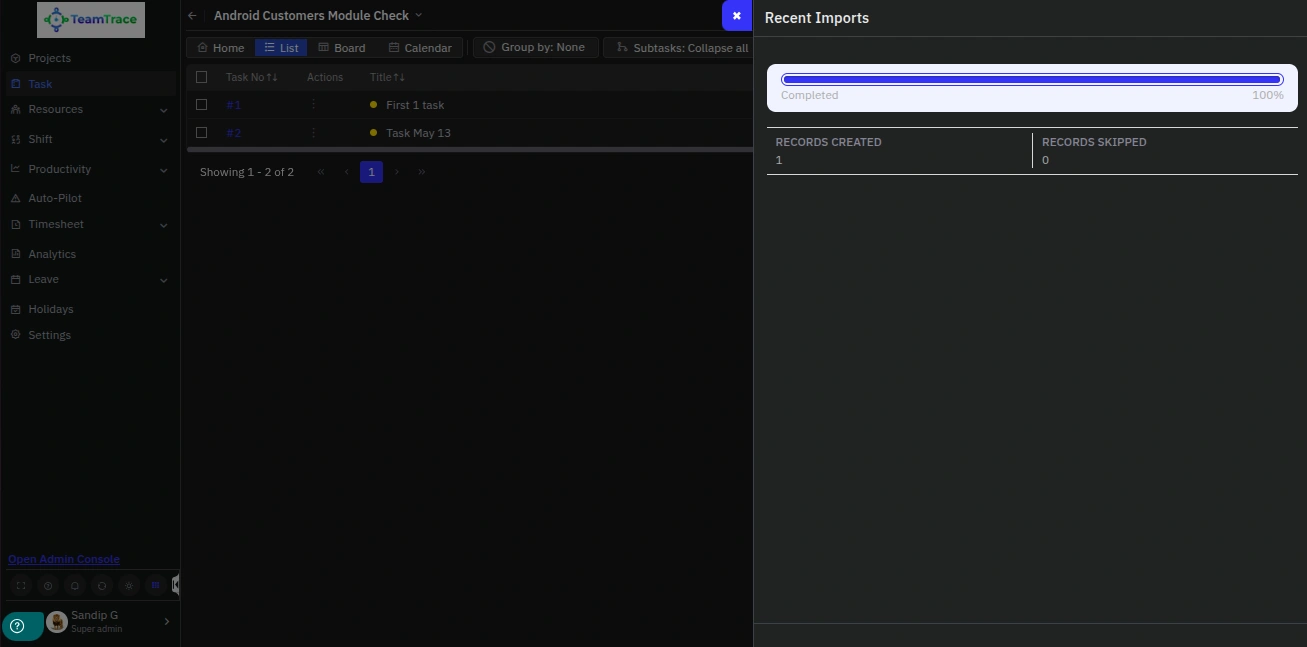
The task module now supports bulk task imports with custom field compatibility.
What’s New
Access From
Tasks > Task Category > List > Import Tasks
Why It Matters
Simplifies large-scale task creation while improving data consistency.
Users can now customize CSV templates based on enabled or disabled custom fields before downloading.
What’s New
Access From
Tasks > Import Tasks > Download Sample CSV
Why It Matters
Improves bulk import accuracy and reduces manual correction efforts.
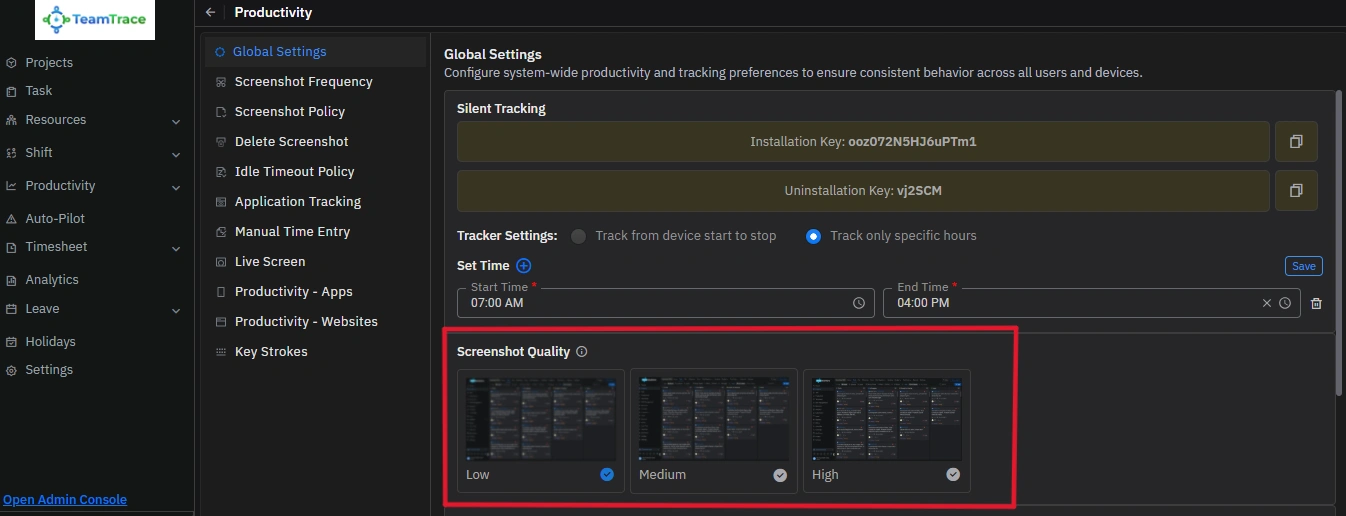
Administrators can now configure screenshot capture quality directly from productivity settings.
What’s New
Access From
Settings > Productivity > Screenshot Quality
Why It Matters
Balances screenshot clarity and storage optimization based on organizational needs.
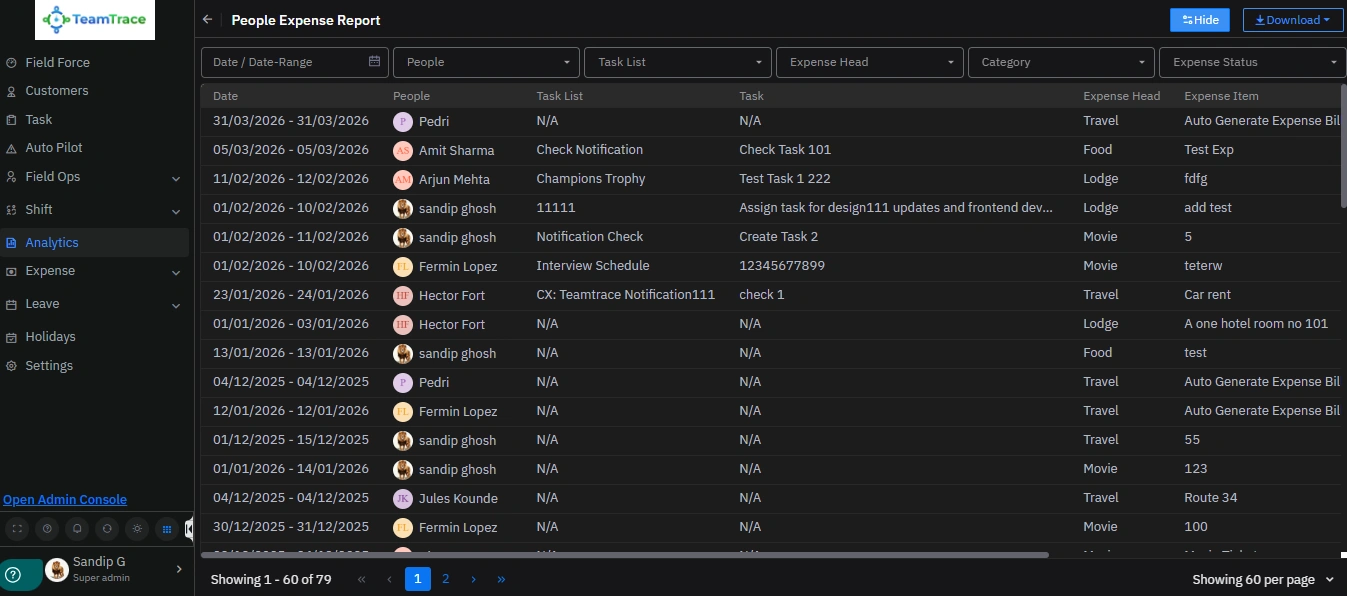
Previously, users could submit field expenses under normal or task-related categories. With the latest enhancement, users can now associate expenses with specific tasks and add task names directly within the expense entry for better tracking and reporting visibility.
What’s New
Access From
Analytics > People Expense Report
Why It Matters
Improves expense tracking and operational reporting accuracy.
Organizations can now configure field tracking accuracy levels based on operational requirements and battery optimization preferences.
What’s New
Access From
Settings > Field Settings > Location Accuracy
Why It Matters
Provides flexibility between tracking precision and device battery consumption.
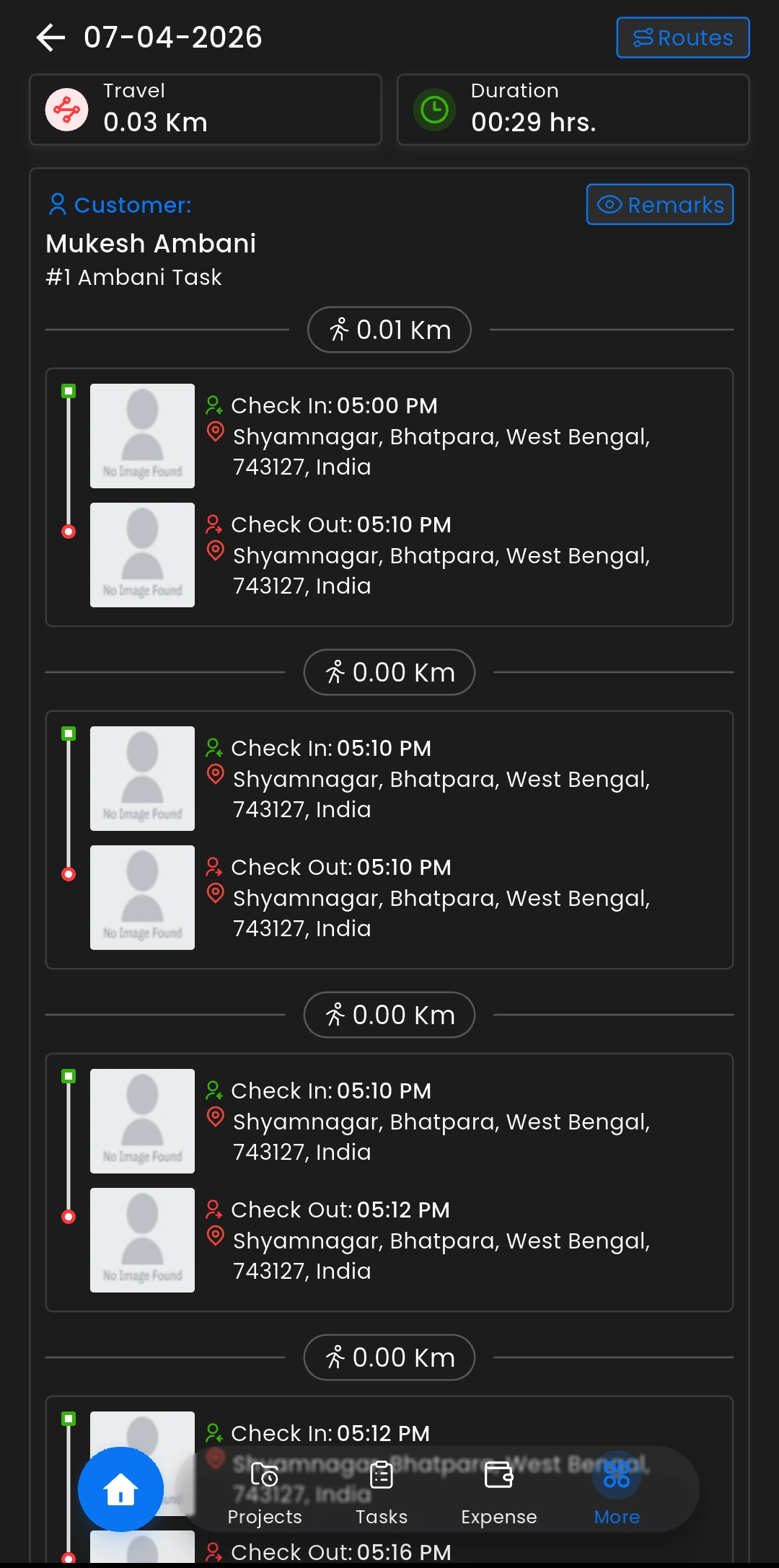
Additional operational insights are now available inside the customer section.
What’s New
Access From
Customer Section > Visit Details
Why It Matters
Provides better visibility into field visit efficiency and customer engagement timelines.
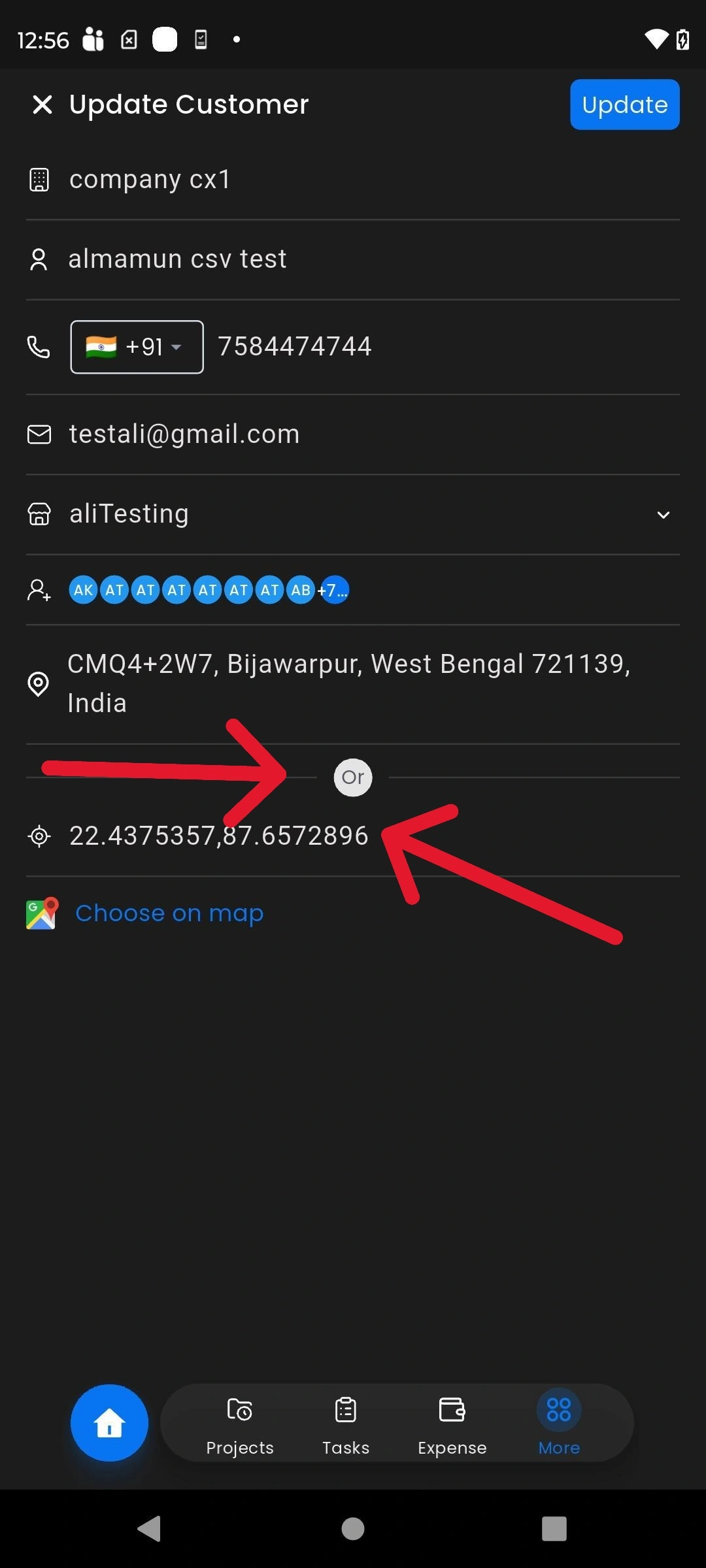
The mobile customer experience has been upgraded with enhanced location and contact management capabilities.
Users can now manually add addresses with custom labels and configure latitude/longitude details directly within customer locations.
What’s New
Access From
Mobile App > More > Customer
Why It Matters
Improves address accuracy and simplifies customer management for field teams.
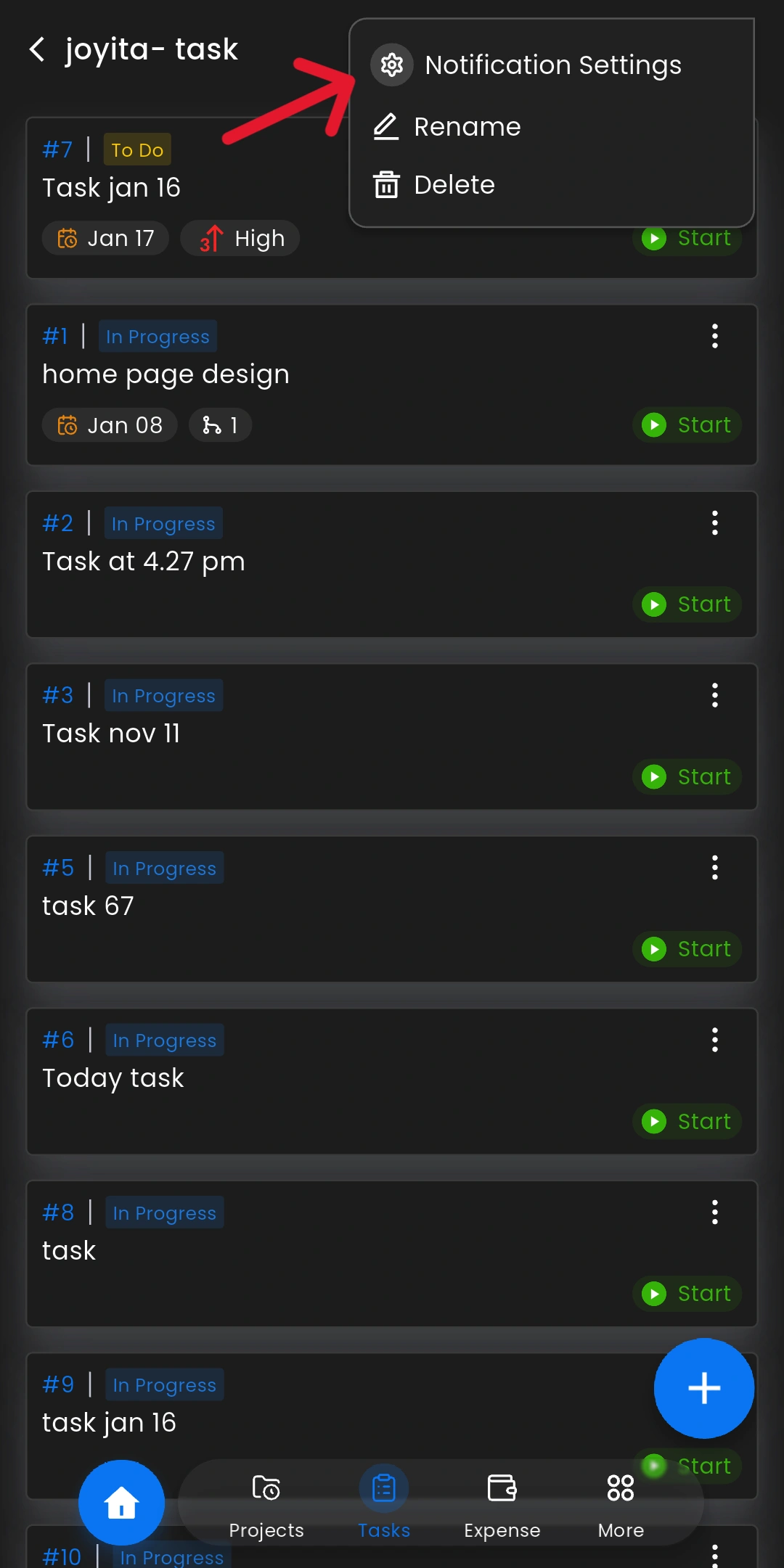
Task-level notification controls are now available within the mobile application.
What’s New
Access From
Mobile App > Tasks > Select Category > Open Task > Three-Dot Menu > Notification Settings
Why It Matters
Helps field teams stay updated on important task activities in real time.
Field users can now attach and manage contact details directly within task updates.
What’s New
Access From
Mobile App > Task > Updates > Comment Box > Attachment Icon > Contact
Why It Matters
Improves communication tracking and collaboration during field operations.
These updates are part of our continued commitment to helping organizations simplify operations, improve workforce visibility, and empower both desk-based and field teams with smarter tools and workflows.
We appreciate your continued feedback and support as we continue building a more powerful and intelligent TeamTrace experience.