 TeamTrace


We are pleased to present the TeamTrace Product Update for May 2026. This document outlines the latest enhancements and new features introduced to the platform this month, spanning key areas including Live Screen Visibility, Attendance Reporting, Auto-Pilot Alerts, API Resources, Task Management, and Mobile Functionality.
These updates have been designed with a focus on improving visibility, streamlining workflows, and providing administrators and managers with greater control over their team’s day-to-day operations. Each section below provides a detailed overview of the changes introduced across both the Desktop/Web application and the Mobile application.
We encourage you to review the updates and explore how these new capabilities can be leveraged to further enhance your team’s productivity and efficiency.
Productivity > Live People
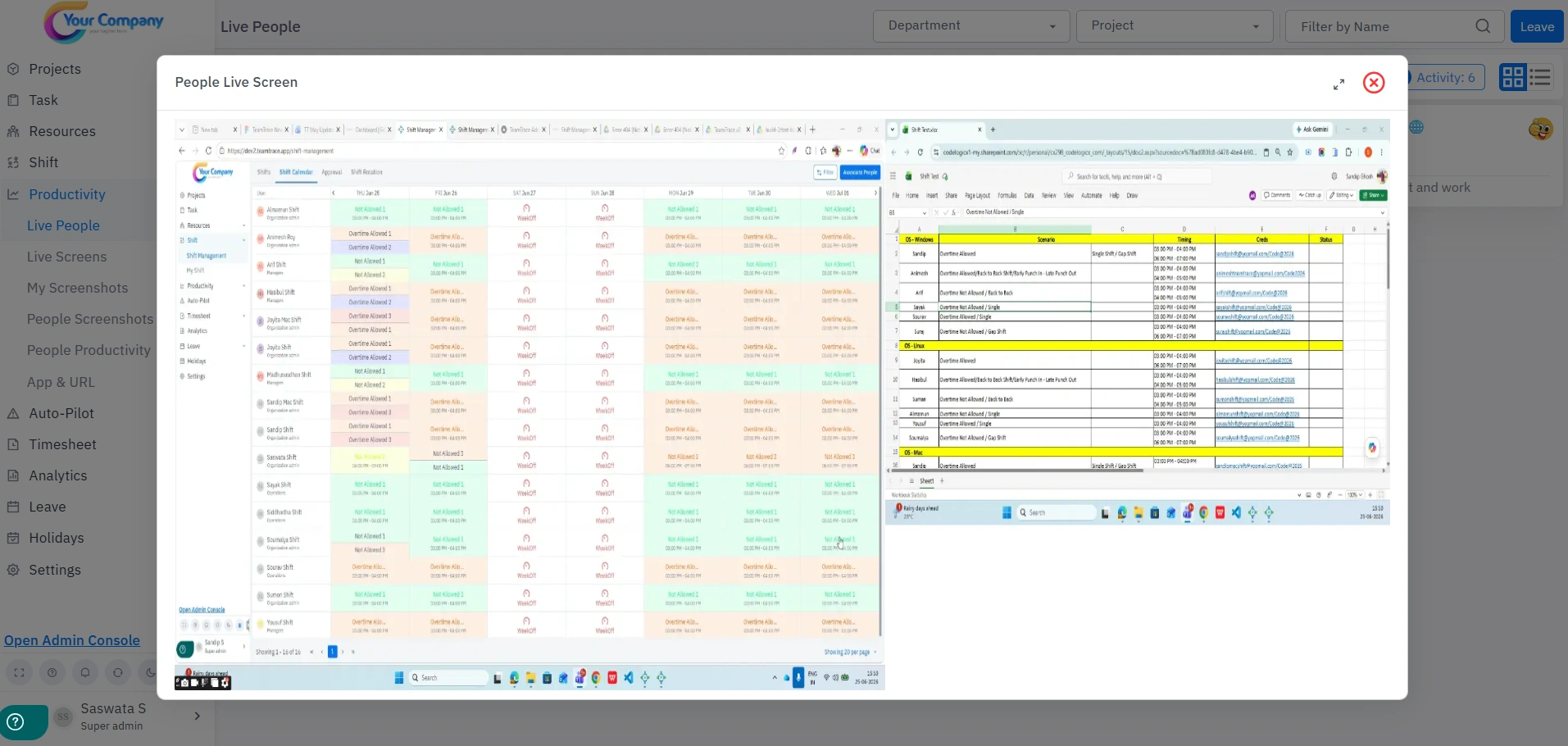
TeamTrace now supports dual live screen monitoring. Previously, only the primary screen could be viewed within the Live Screen section. With this latest update, administrators and managers can now simultaneously view both screens of an employee in real time, providing a more comprehensive and accurate monitoring experience.
A new Work From Home (WFH) and Work From Office (WFO) Report is now available within TeamTrace. Administrators and managers can now view day-wise attendance data per employee, including:
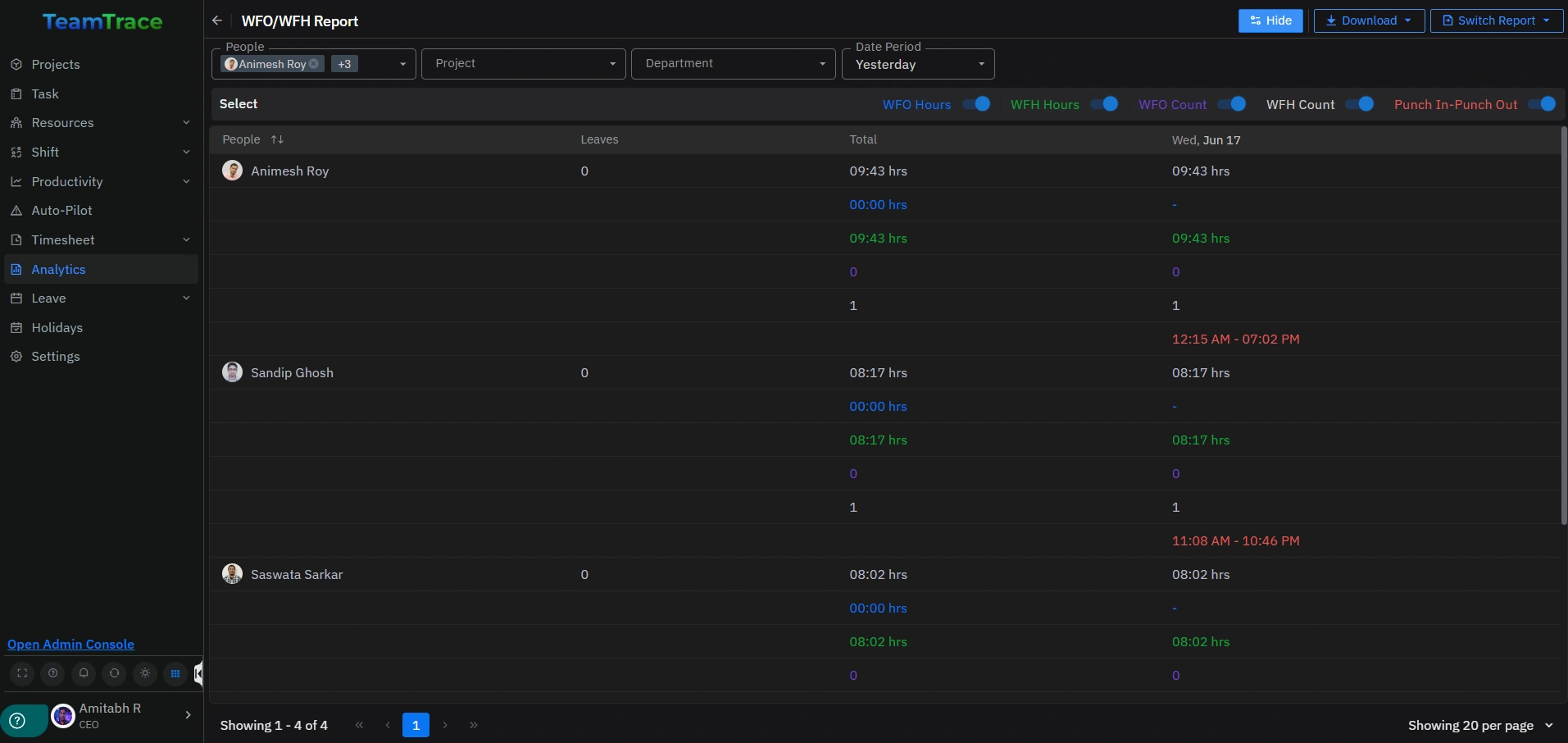
The report also includes filter options by people, project, and department, enabling teams to analyze attendance patterns and monitor remote versus in-office work trends across the organization.
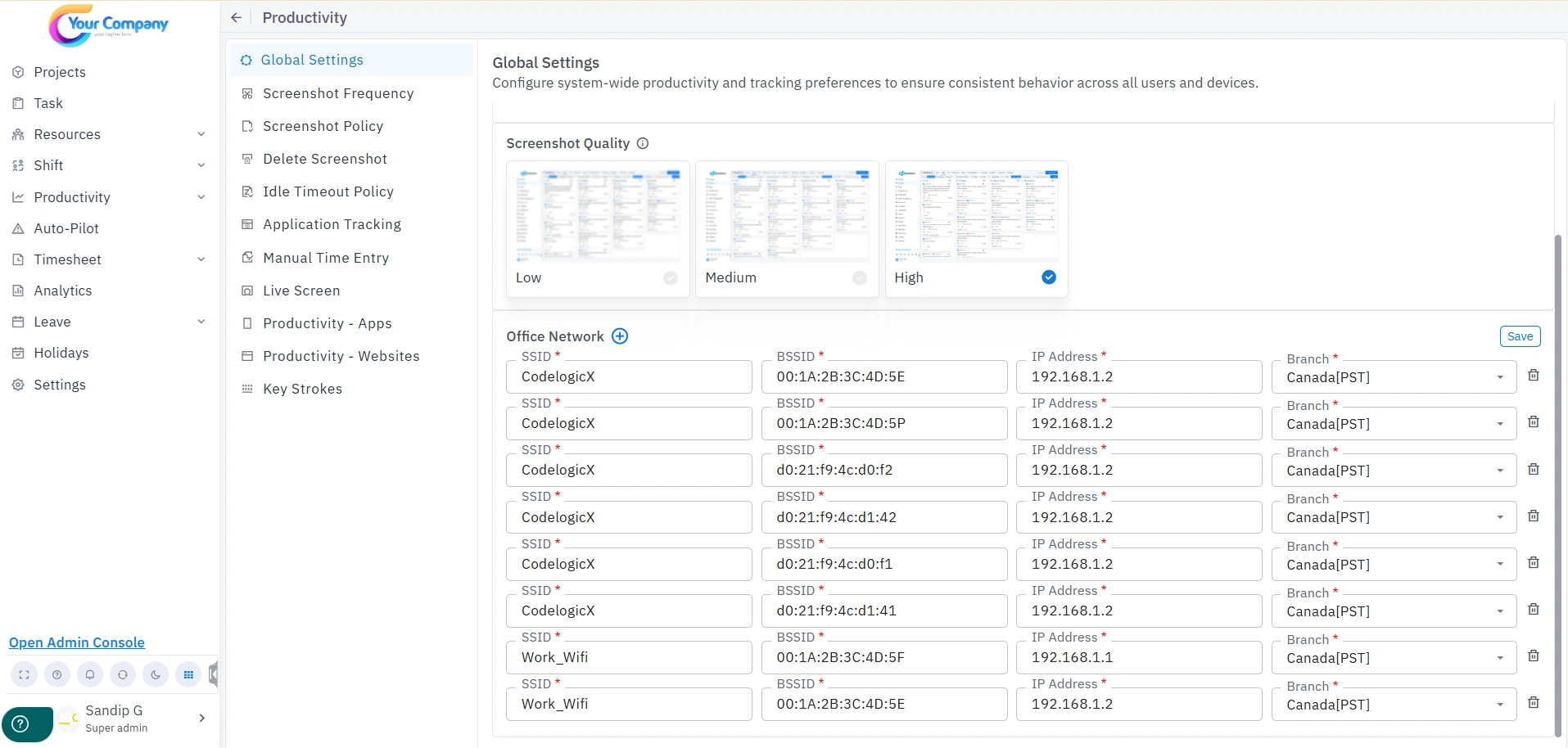
Note: The WFH – WFO Report categorizes data based on the following rule: all networks listed under Settings > Productivity > Global Settings > Office Network are recorded as WFO days, while all other networks not listed under this setting are recorded as WFH days.
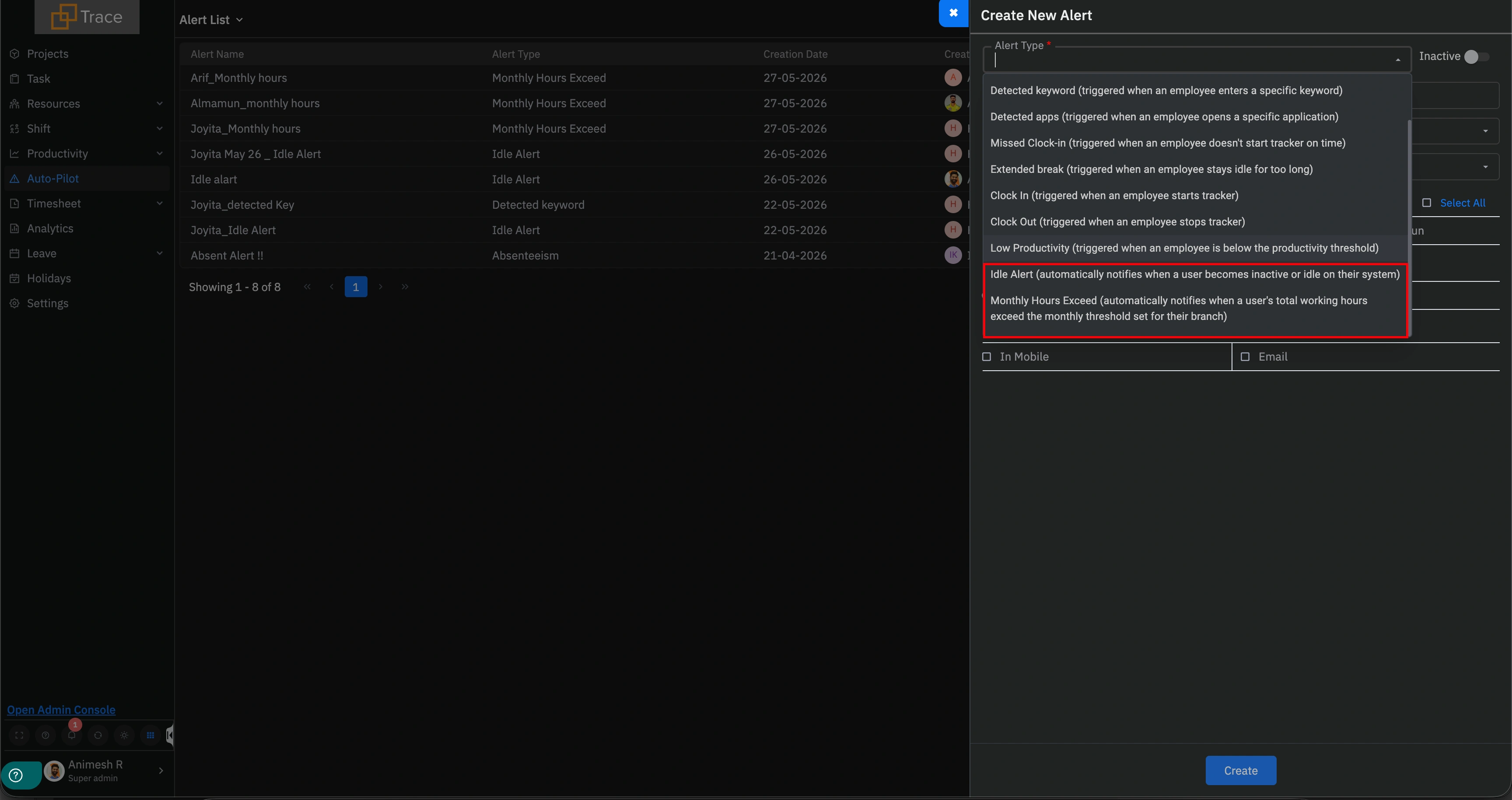
Two new alert options have been added to the Auto-Pilot Alert List, giving administrators greater control over automated notifications:
Administrators can now configure an Idle Alert within Auto-Pilot. This alert is triggered when an employee remains idle for a defined period, allowing managers to stay informed about inactivity in real time.
A Monthly Hours Exceed Alert has also been introduced. This alert notifies administrators when an employee’s logged hours surpass the defined monthly threshold, helping teams proactively manage workloads and prevent overutilization.
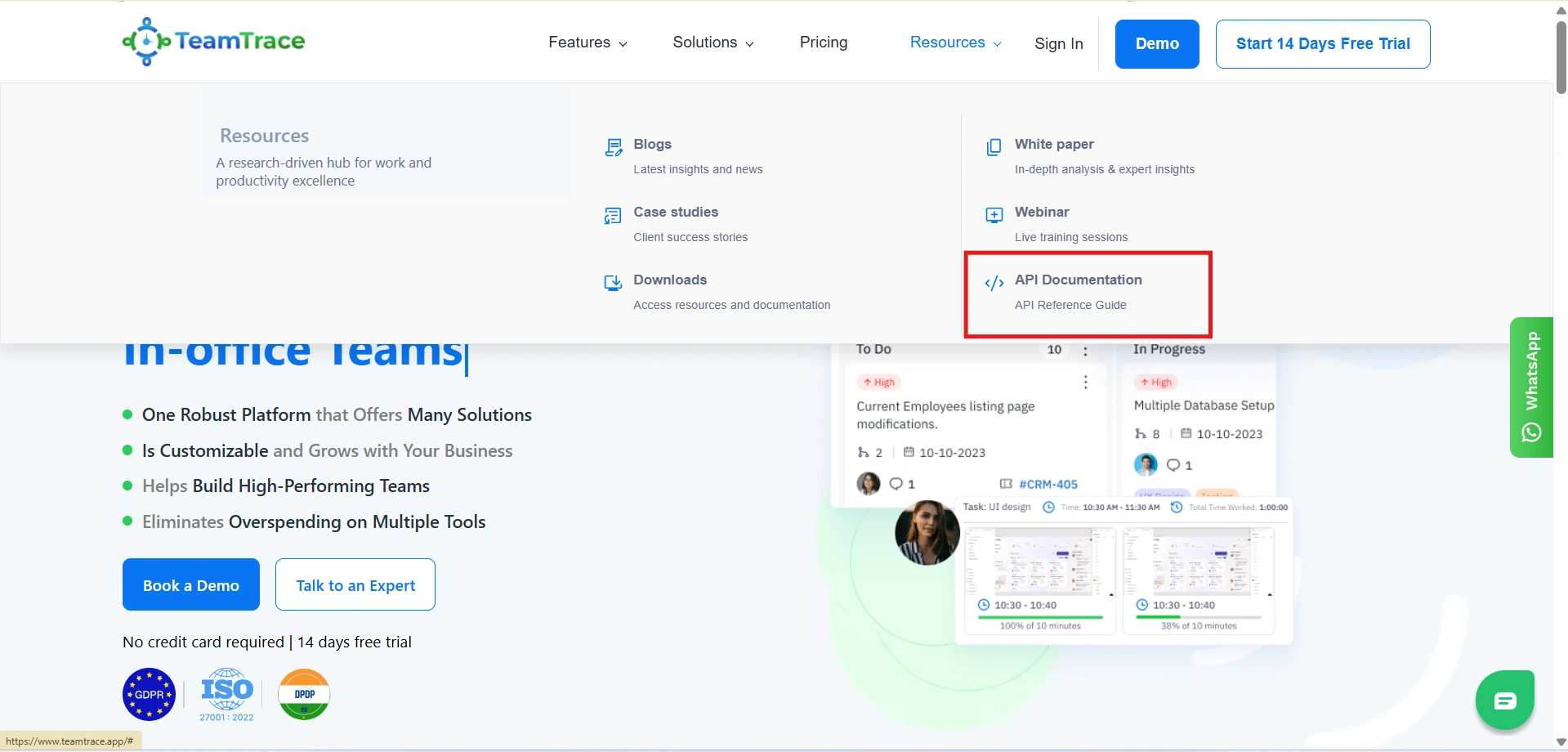
The TeamTrace website now features a dedicated API Documentation section, accessible under the Resources section of the website. This provides developers and technical teams with direct access to the comprehensive API reference, making it easier to explore and integrate TeamTrace’s capabilities into existing workflows and third-party tools.
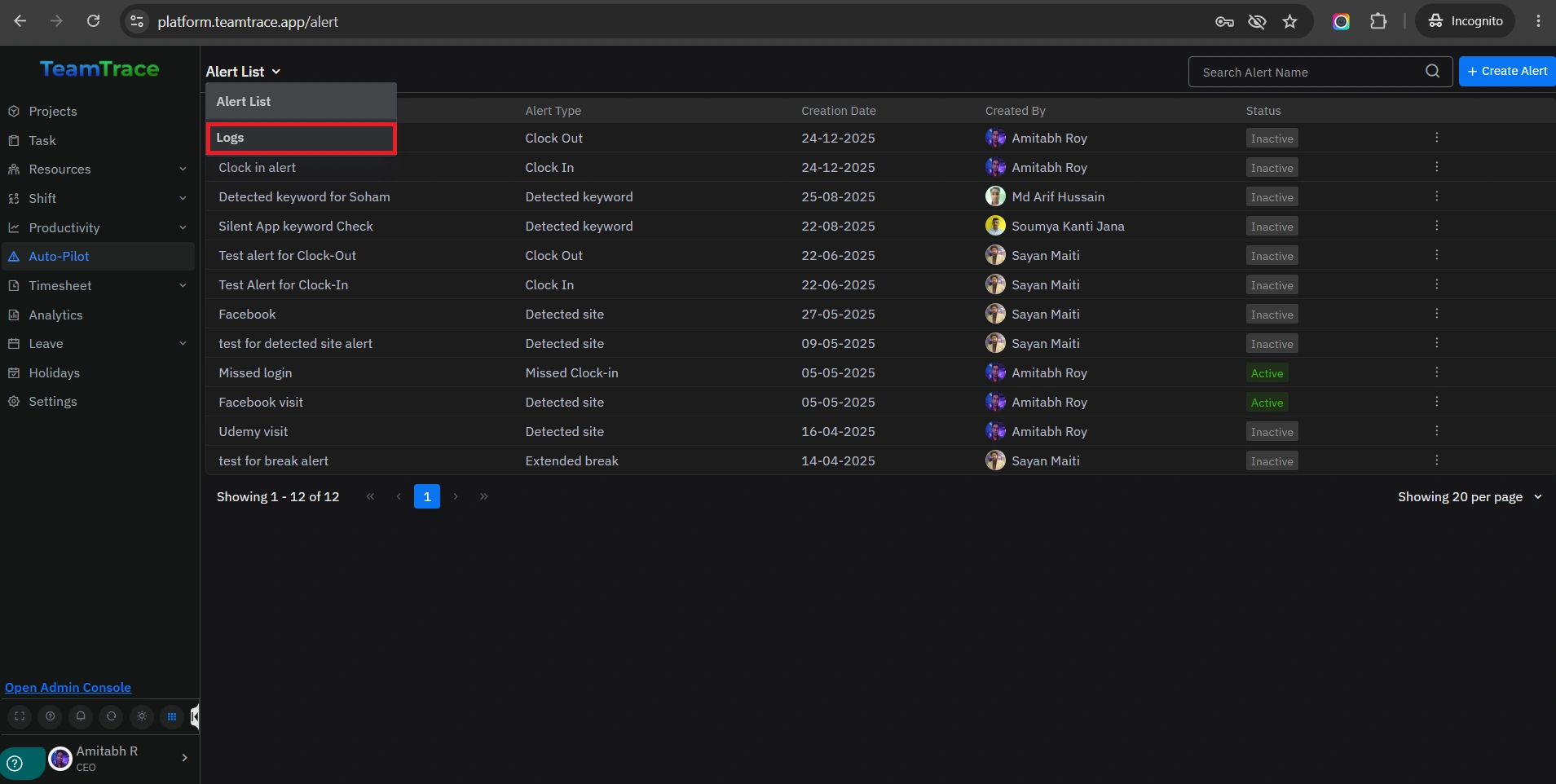
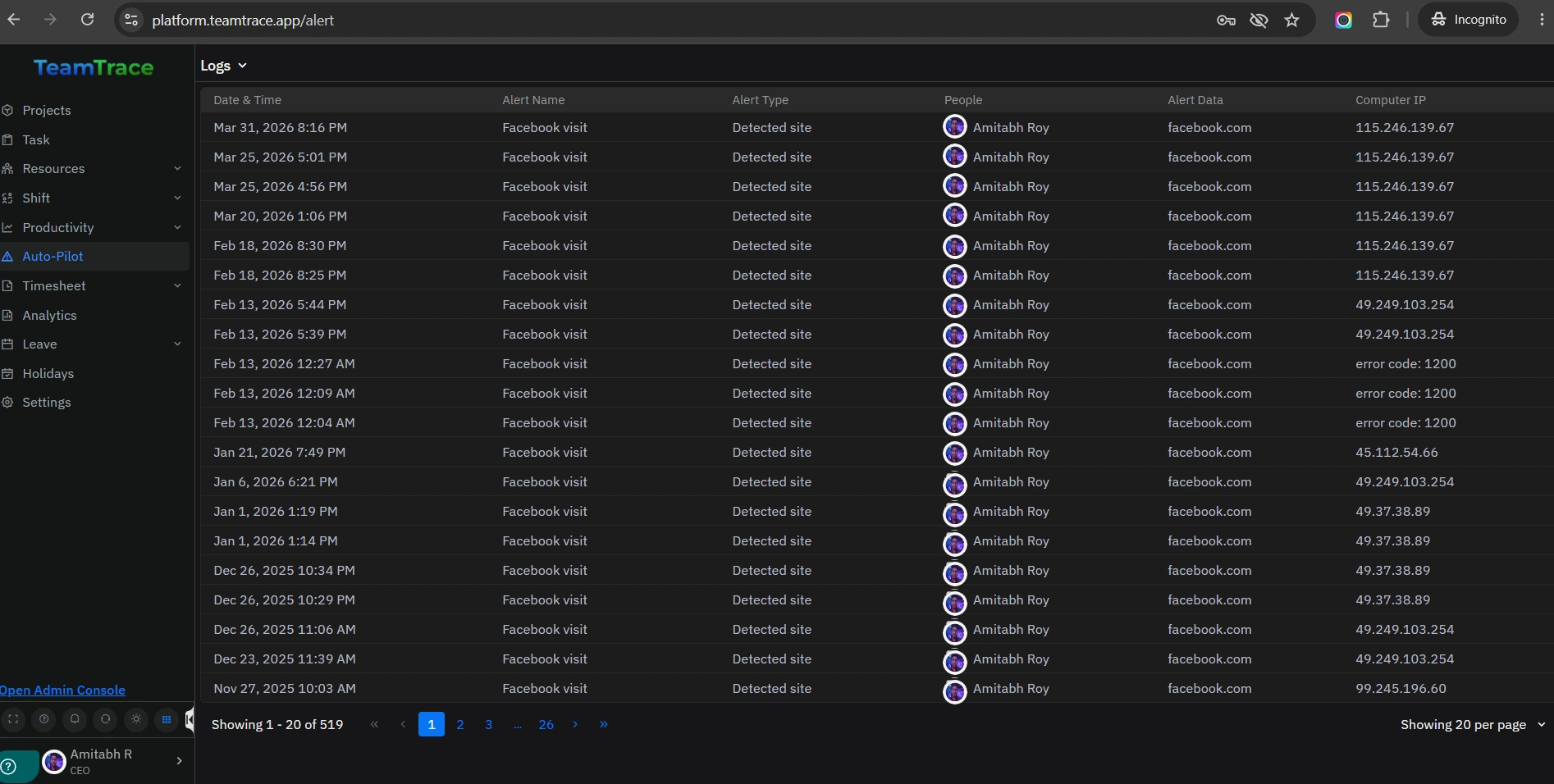
Auto-Pilot Logs are now available for users who have access to the Auto-Pilot section in TeamTrace. This feature allows users to review a complete log of all auto-pilot activity, providing full visibility into automated actions taken within the platform. This ensures greater transparency and makes it easier to audit and track auto-pilot behavior over time.
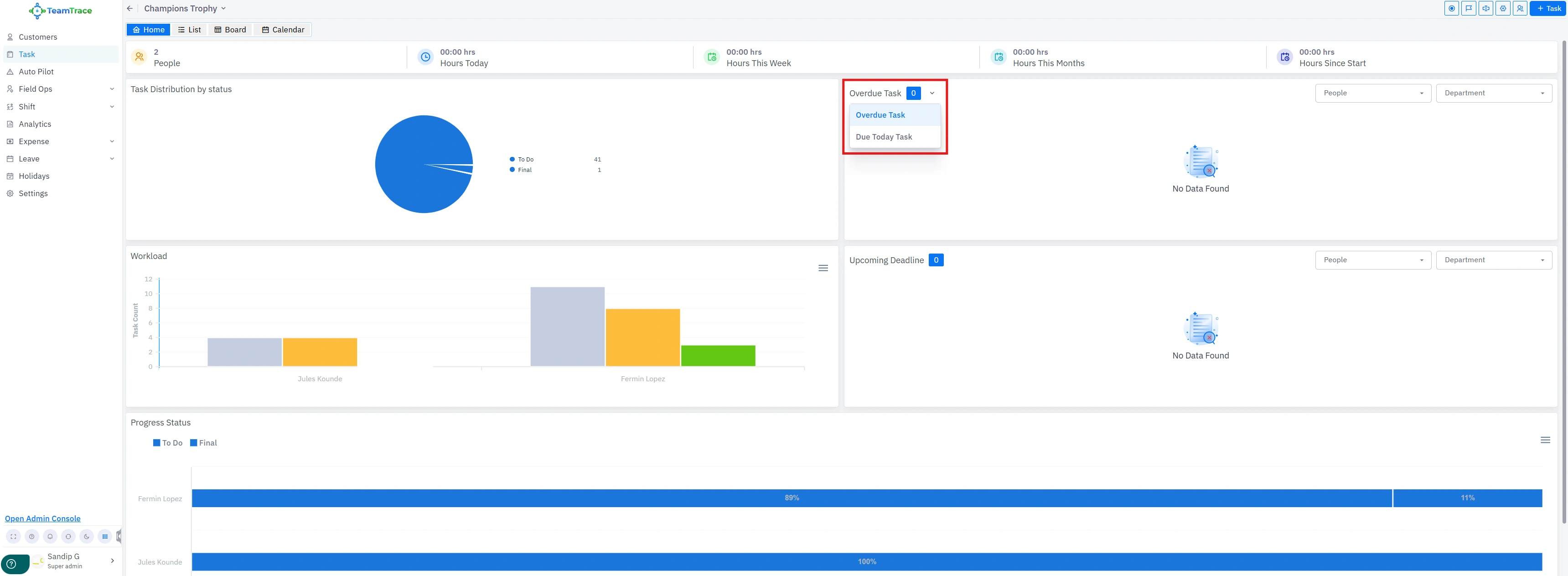
The Board view now includes two new task widgets to help users stay on top of their deadlines:
Mobile users can now create tasks directly from the Customer Details Page within the TeamTrace mobile application. Previously, users were required to navigate away from the customer profile to initiate a new task. With this update, tasks can be created in context, without leaving the customer’s profile, enabling faster and more efficient task management on the go.
Note: Assignees can now create quick tasks directly from within the Customer module in the TeamTrace mobile app.